

What Is “My Journey”?
The My Journey tab in your Learning Portal gives you a clear, step-by-step view of your entire learning path. It’s organized into Growth Cycles (GCs)—each containing specific topics, assignments, and practice modules—to help you know exactly what to do next.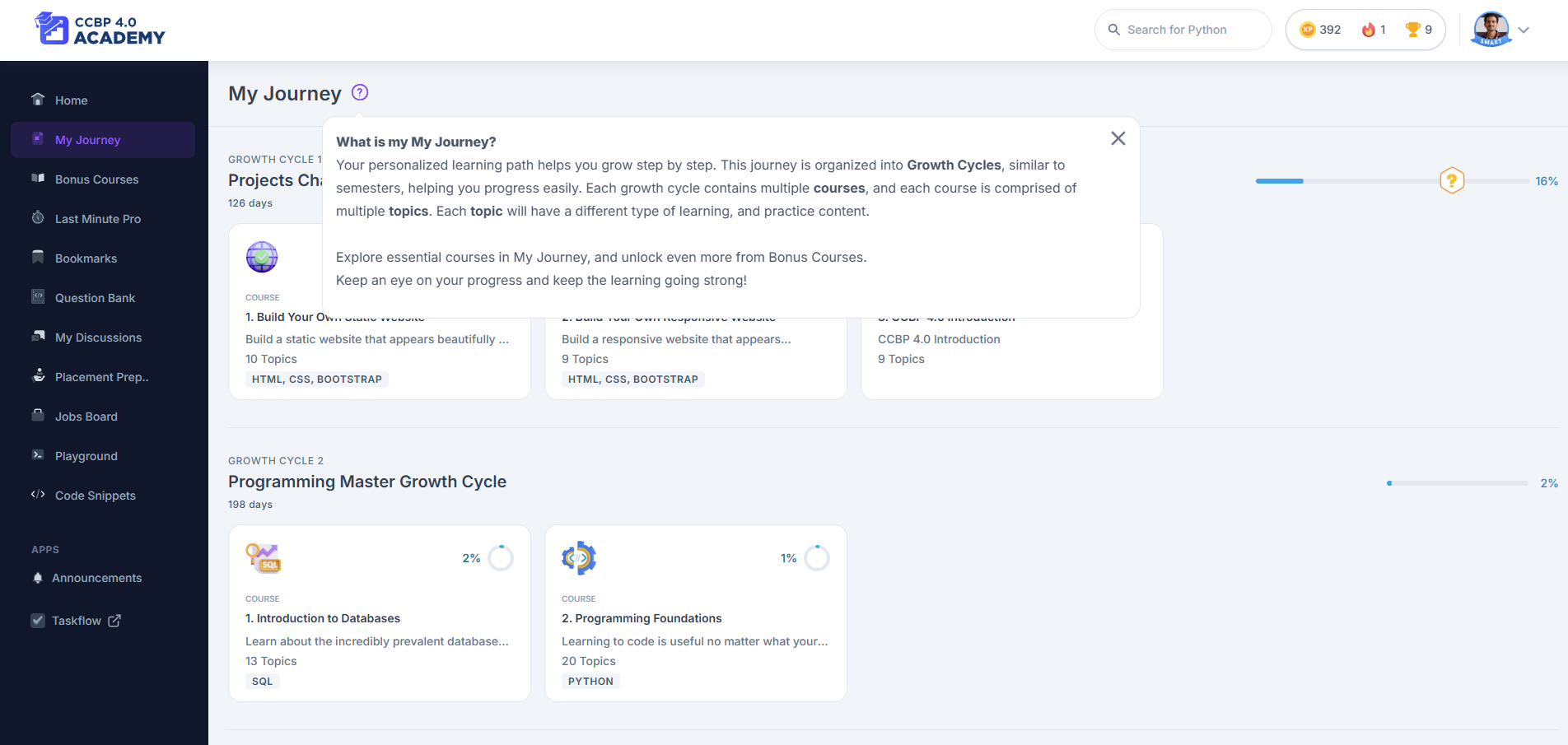
Why Use “My Journey”?
We built this feature to help you:- Stay focused on what matters next in your course
- Track your learning progress clearly and visually
- Move through the curriculum in a smooth, structured way
How to Use It
Follow these simple steps to make the most of it:- Go to the My Journey tab on the left sidebar of your Learning Portal
- You’ll see your current Growth Cycles listed with a progress bar and percentage
- Click on any Growth Cycle to expand it and view the topics, tasks, or assignments inside
- As you complete each item, your progress updates in real time
- Once you complete a Growth Cycle, new ones unlock automatically or appear as “Next Up”
Why You’ll Find This Useful
- Visual progress bars help you stay motivated
- Color-coded tags like In Progress and Completed make it easy to track what’s done
- You know exactly which module to work on next—no confusion or guesswork
- Revisiting old topics becomes super easy when you’re revising before exams or interviews
Pro Tips for Using It
- Check My Journey every day—especially before starting your learning
- Finish one Growth Cycle fully before jumping to the next for a smooth learning flow
- If you’re stuck, reach out to your Success Coach—they can guide you based on your current cycle
Where Can I Access It?
Fully compatible with desktop, tablet, and mobile browsers not available on the mobile app (if you’re using one)So next time you log in, head straight to My Journey to see how far you’ve come and what’s next. It’s the best way to keep your momentum going—one cycle at a time. Let’s keep growing! 💪