

What Is “My Discussions”?
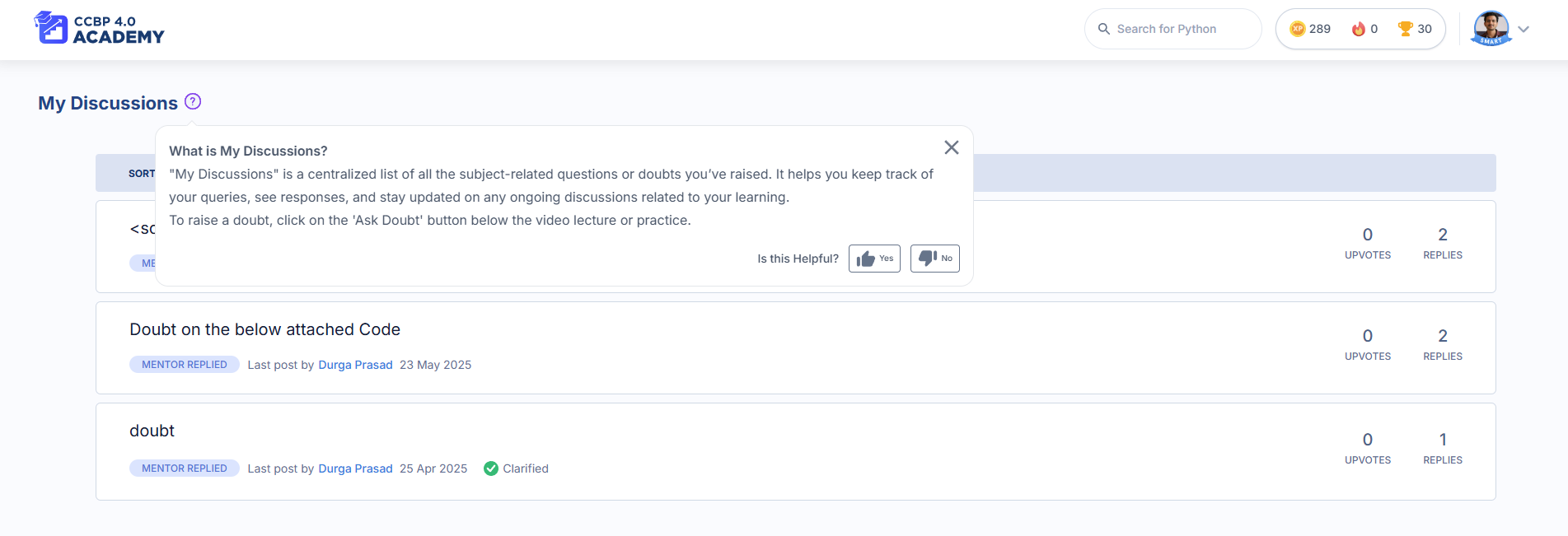
My Discussions is your personal space to view, manage, and follow up on all the subject-related questions you’ve asked in your learning portal—whether it’s during a session, coding practice, or assignment. It helps you stay organized, see replies from Domain Experts, and keep learning without confusion.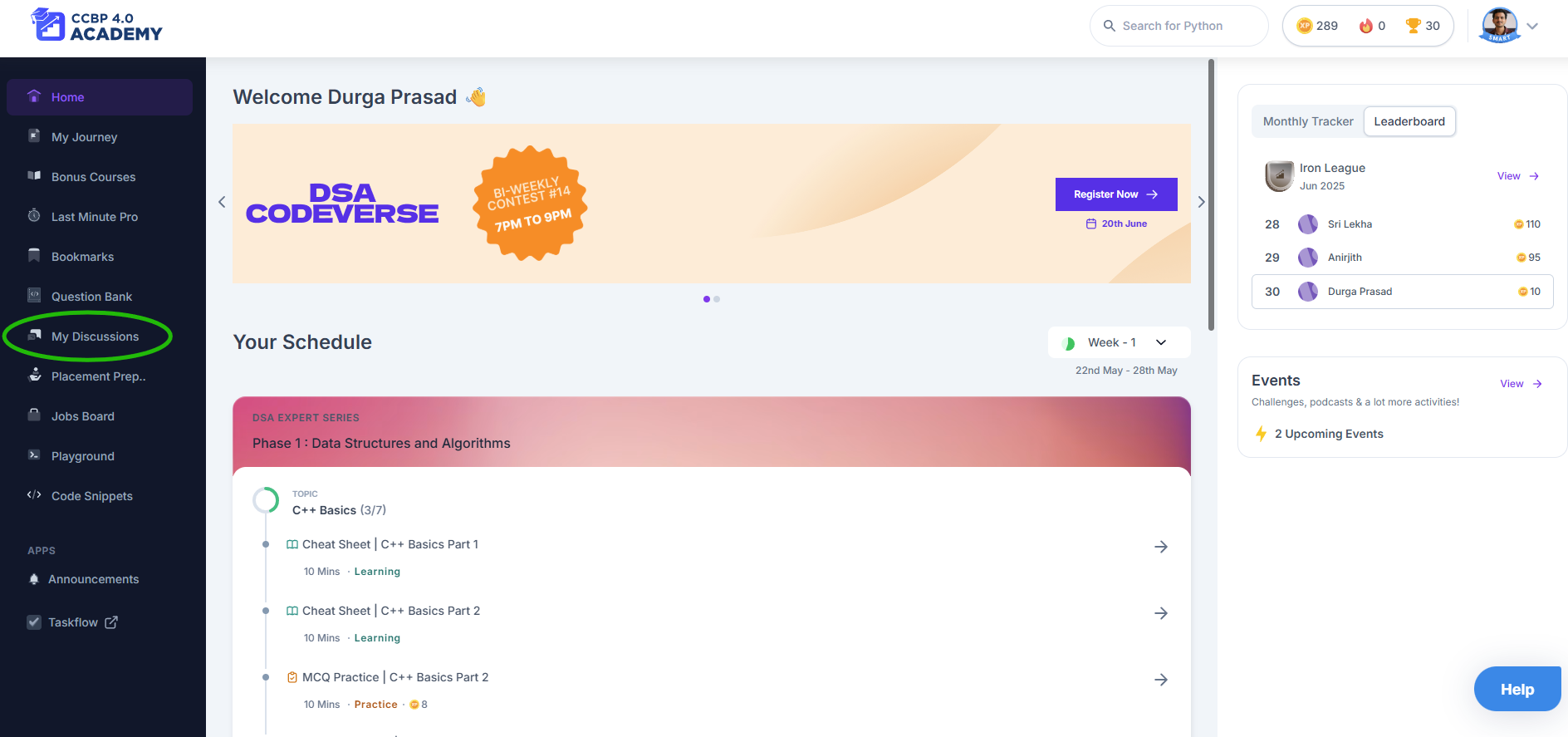
Why Use It?
- You don’t need to search through sessions to find your past doubts
- Get expert-verified answers in one place
- See helpful replies from other students too
- Continue the conversation when you need further clarification
How to Use “My Discussions”
Here’s a step-by-step guide:- Ask a Doubt
While watching a session or solving a problem, you’ll see a “Have a doubt?” section. Post your question there. - Get an Initial Reply
The Mentor Bot may respond instantly with helpful resources or similar questions. - Need More Help?
Click “Didn’t help”, and your query is forwarded to our Domain Experts—you’ll get a proper answer within 12 working hours (Mon–Fri). - Visit My Discussions
Click My Discussions in your left-hand menu to view:- All the questions you’ve asked
- Status (Answered / Open)
- Last reply date
- Engage with the Thread
You can reply, ask for more clarity, or just say thank you 😊 - Upvote What Helps You
If another student’s question or an expert’s answer helps you too, give it an upvote!
What Makes It Useful?
- Everything in One Place: No need to remember where you asked a question
- Verified Knowledge: Domain Experts give precise, student-friendly explanations
- Learn Together: See what others are asking and learn from shared discussions
- Stay Notified: You’ll see updates when your question gets answered
When Should You Use It?
- When a video explanation isn’t clear
- When you’re stuck in a coding practice problem
- When your doubt hasn’t been answered by the bot
- When you want to see how others are thinking through the same concept
Pro Tips
- Always describe your doubt clearly (mention the concept or question name)
- Check for similar discussions before posting to avoid duplicates
- Mark helpful replies with an upvote—it helps others too
- Come back and review resolved queries before tests or interviews
Works On:
- Desktop ✅
- Laptop ✅
- Mobile ✅ (via browser)
“My Discussions” helps you stay curious and confident. Don’t hesitate to ask your doubts—it’s how you grow faster. 🌱