

What’s This About?
The Code Playground is your in-browser coding lab—ready whenever inspiration hits. You can write and run code in multiple languages without installing anything. The Code Snippets section automatically stores the code you save, so you can revisit or publish it anytime.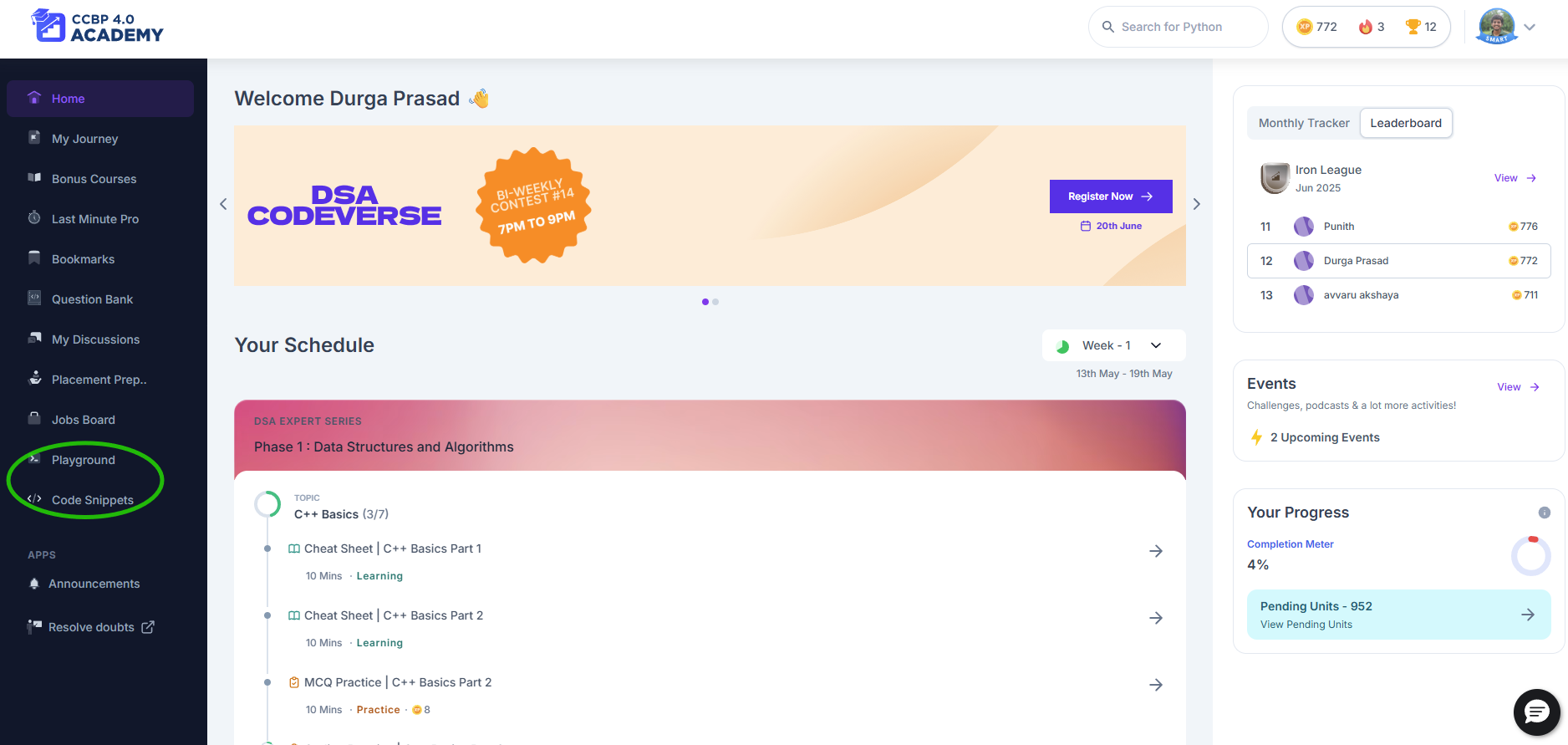
What You Can Do
- Code in Web, Python, C, C++, Java, and more
- Run and debug your code
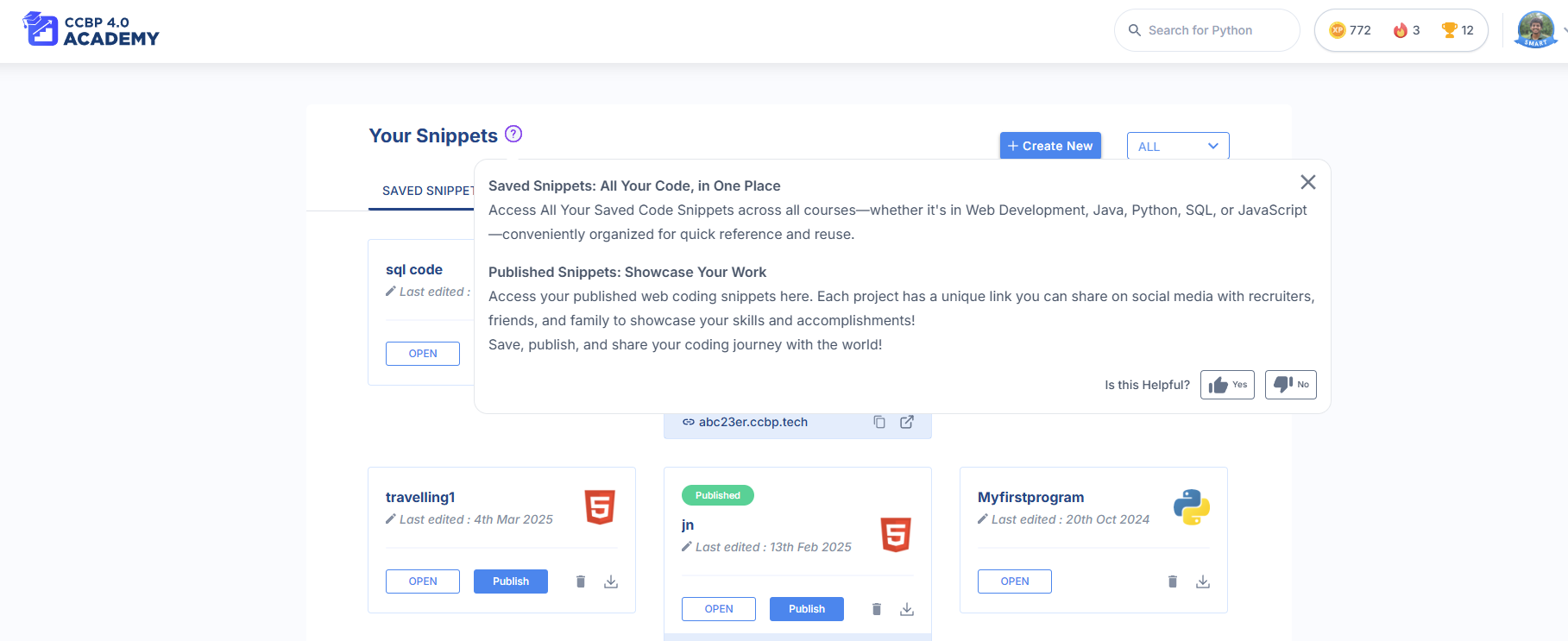
- Save snippets and manage them in one place
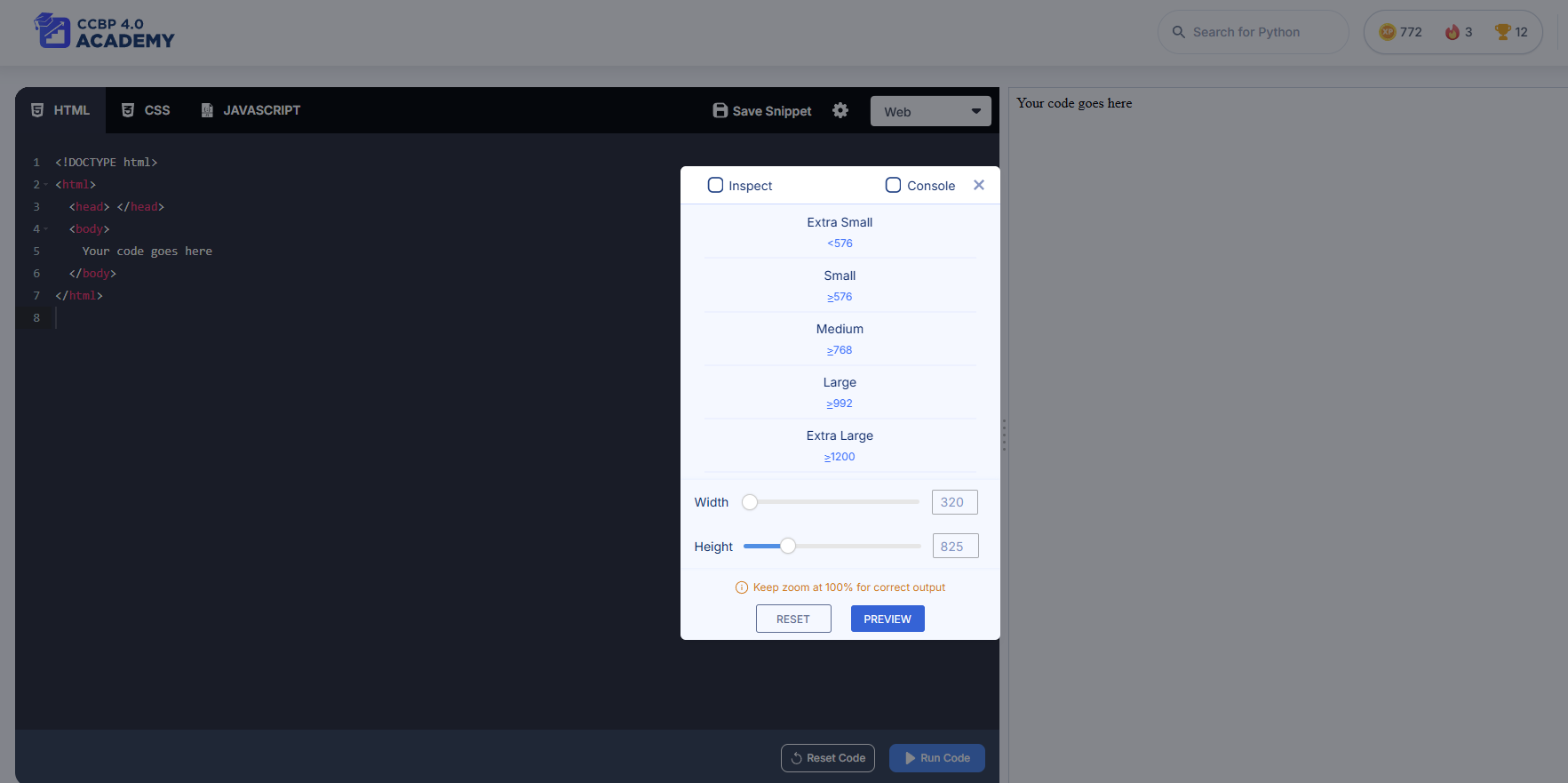
- Use Device Inspector to preview websites in different screen sizes
- Publish web projects and get a live link like yourname.ccbp.tech
- View your submissions and even check public ones
- Compare expected vs actual output with the Diff tool
- Unlock solution after some time if you’re stuck
How to Use It
1. Open the Playground Go to “Playground” from the left-hand menu.
2. Choose Your Language
Use the dropdown to select Web (HTML/CSS/JS), Python, C++, Java, etc.3. Start Coding
Write code in the dark-themed editor.Click “Run Code” to see output—live preview for Web, or console for others.
4. Save Your Work
Click “Save”, name your snippet, and it’ll be stored under Code Snippets.5. Debug Your Code
Click “Debug” to run it line by line and understand where errors occur.6. Use the Diff Tool
After submitting, see the difference between your output and the expected output.7. View Submissions
See how many times you submitted, whether it was correct or not, and the timestamps.8. Get the Solution
Wait 30 minutes or use Unlock Anyway after the wait to view the answer.9. Publish (Web Snippets Only)
Click “Publish” to get a shareable link (like a mini-website). You can do this directly from the Snippets page too.Managing Your Code Snippets
1. Open Code Snippets
Go to “Code Snippets” from the left-hand menu.2. Find Your Snippets
You’ll see all saved snippets, sorted by language.3. Edit, Rename or Delete
Click on any snippet to reopen it in the Playground or manage it.4. Publish and Share
Click Publish on a Web snippet to get a live preview link to show others.Why It’s Awesome
- No need for external IDEs or tools—everything is built-in
- Keep all your code safe, organized, and accessible
- Learn by practicing—real-time feedback helps you improve
- Share your work with mentors, friends, or even recruiters
- Review others’ submissions to get new perspectives
When to Use
- During sessions to follow along with code
- For practicing and submitting assignments
- To build personal projects or try out ideas
- When you’re stuck and need to debug line by line
- If you’re preparing a project or snippet to show in interviews
If You Face Issues
- Code not running? Try refreshing or checking your internet
- Can’t publish? Ensure your snippet is saved and valid
- Debug button not working? Reload the playground or clear cache
- Solution not showing? Wait for the timer to complete or click Unlock Anyway
Pro Tips
- Use meaningful names when saving snippets
- Check public submissions to see alternate solutions
- Test your Web projects across different device sizes using Inspect Panel
- Regularly revisit old snippets to reflect on how much you’ve improved
Keep experimenting, saving, and growing. Your best code is yet to come! Let me know if you’d like a compact version of this for tooltips, modals, or mobile!