> ## Documentation Index
> Fetch the complete documentation index at: https://nxtwavedisruptivetechnologiesprivatelimited.mintlify.site/llms.txt
> Use this file to discover all available pages before exploring further.
# 💼 Jobs Board
> Explore, Apply & Track Job Opportunities
## **What is the Jobs Board?**
The **Jobs Board** is your dedicated space inside the Learning Portal where you can explore real job and internship opportunities tailored to your current progress and eligibility. Think of it as your launchpad into the professional world—right from where you learn.
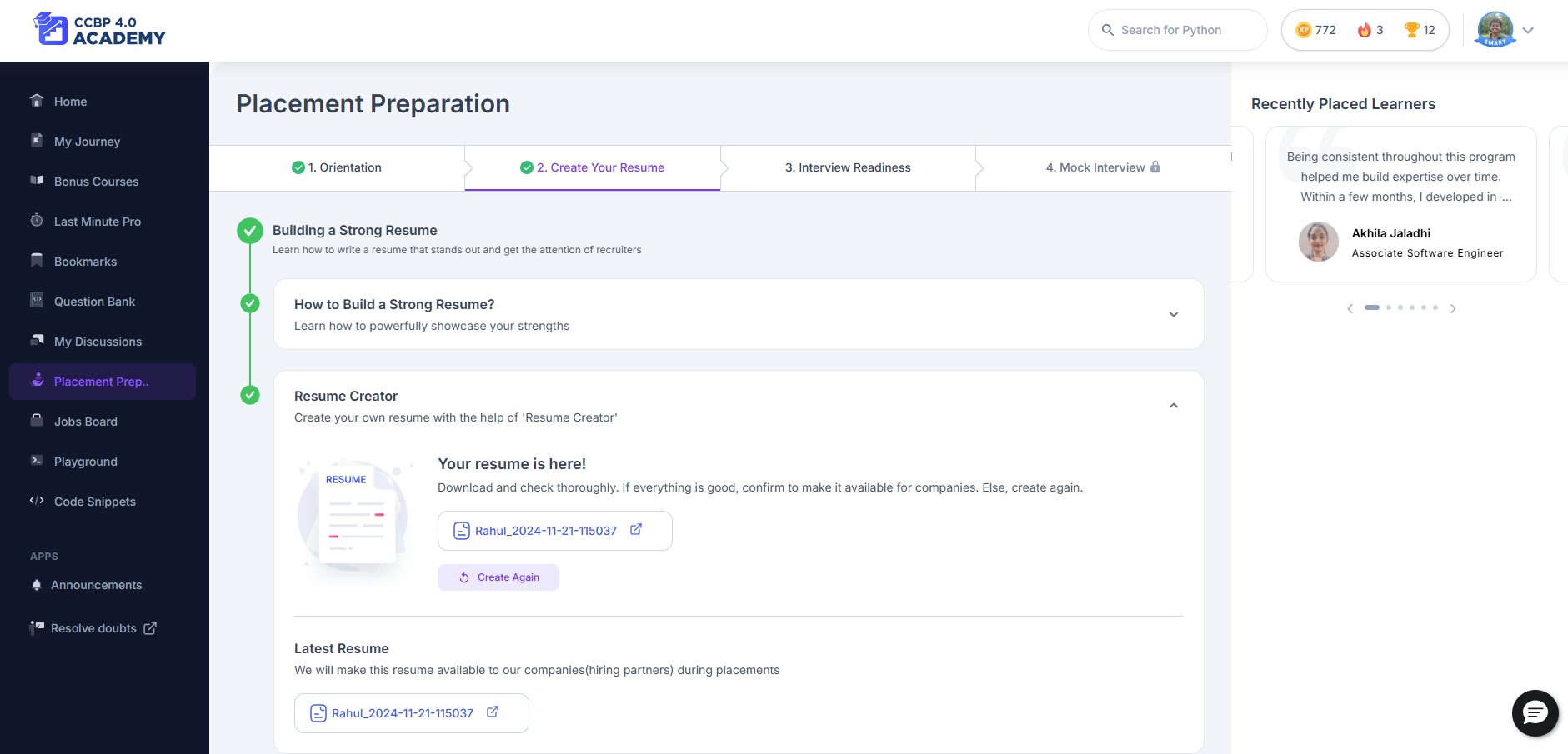
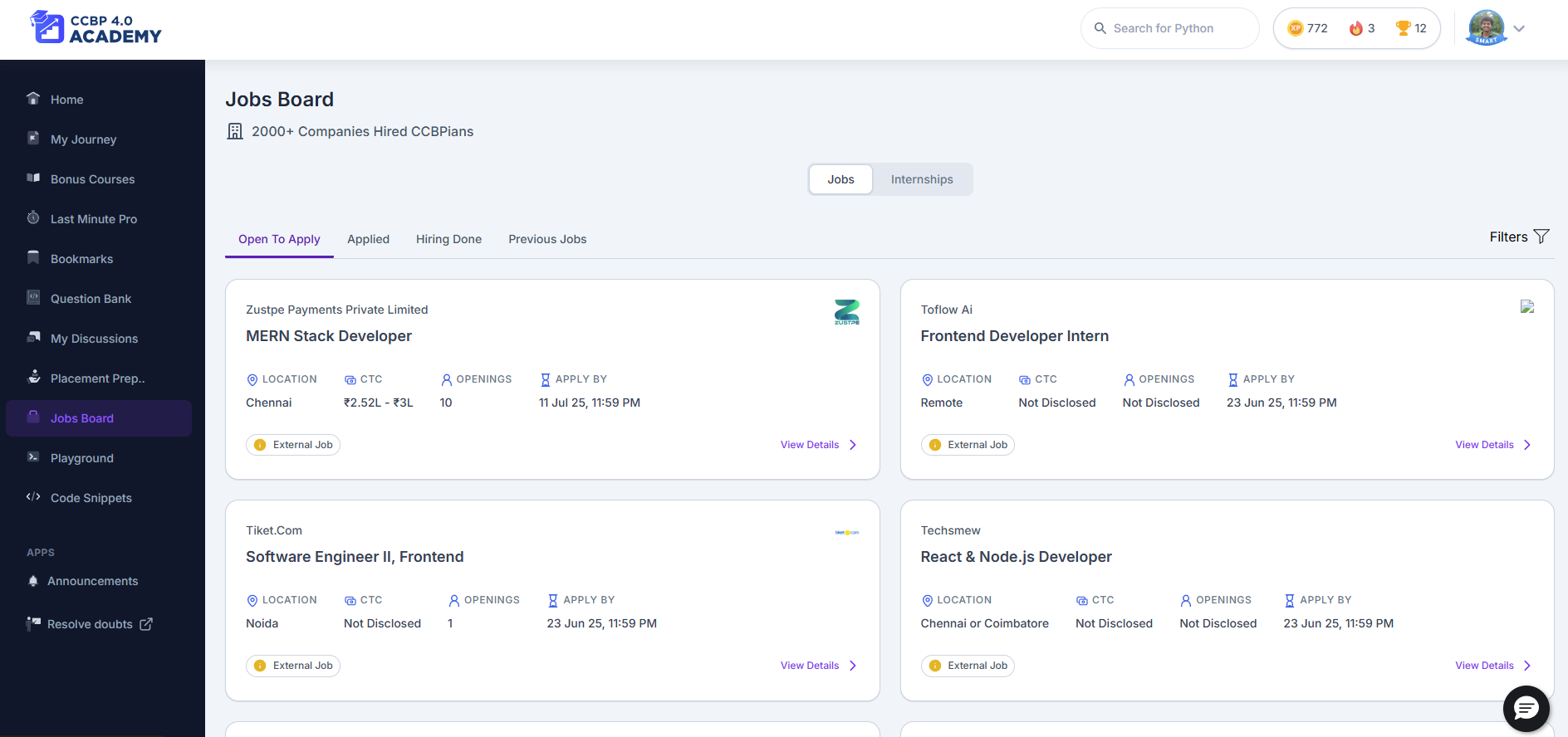 You’ll find this on the left panel of your dashboard once you complete **Growth Cycle 3 (GC3).**
***
## **What Can You Do Here?**
* **Browse verified job listings** based on your batch, performance, and progress
* **Check both Jobs & Internships** using the tab switcher
* **Apply directly** to roles through the platform
* **Track application status** (e.g., Applied, Shortlisted, Interview Scheduled, etc.)
***
## **How to Use the Jobs Board**
\*\*1. Find the Jobs Board - \*\*After completing GC3, the **Jobs Board** tab becomes visible on your left menu in the learning portal.\
\*\*2. View Jobs or Internships - \*\*Use the **toggle button** at the top of the page to switch between: Jobs \&Internships.
Each listing shows: - Role and Company, Eligibility Criteria, Application Deadline, Required Documents or Assessments\
\*\*3. Apply for a Role - \*\*Click on a job card, review the details, and hit **Apply**.\
You might be asked to upload your resume or take a test as part of the process.\
\*\*4. Track Your Applications - \*\*Go to your **Application Tracker** section to see:
* Status: Applied, Shortlisted, Interview Scheduled, Rejected, etc.
* Next steps (if any)
***
## **Why This Is Useful**
* Saves time by showing only jobs you’re eligible for
* Offers clear instructions on how to apply and what’s required
* Keeps everything in one place—from browsing to tracking
***
## **Best Practices**
* Keep your **resume updated** in the Resume Builder section
* Check the Jobs Board regularly—new opportunities are added often
* Apply early to avoid missing out on deadlines
* Review your application status and prepare if you’ve been shortlisted
***
## **If Something Looks Off**
* Can’t see the Jobs Board? Make sure you’ve completed **GC3**
* Application form not opening? Try refreshing or switching browsers
* Unsure about eligibility? Check the role description or reach out via the help widget
***
## **Final Note**
The Jobs Board isn’t just a list of roles—it’s your bridge to real opportunities. Stay consistent with your preparation, apply wisely, and track your growth. You’re getting closer to your goal every day. ✨👨💻👩💼
***
You’ll find this on the left panel of your dashboard once you complete **Growth Cycle 3 (GC3).**
***
## **What Can You Do Here?**
* **Browse verified job listings** based on your batch, performance, and progress
* **Check both Jobs & Internships** using the tab switcher
* **Apply directly** to roles through the platform
* **Track application status** (e.g., Applied, Shortlisted, Interview Scheduled, etc.)
***
## **How to Use the Jobs Board**
\*\*1. Find the Jobs Board - \*\*After completing GC3, the **Jobs Board** tab becomes visible on your left menu in the learning portal.\
\*\*2. View Jobs or Internships - \*\*Use the **toggle button** at the top of the page to switch between: Jobs \&Internships.
Each listing shows: - Role and Company, Eligibility Criteria, Application Deadline, Required Documents or Assessments\
\*\*3. Apply for a Role - \*\*Click on a job card, review the details, and hit **Apply**.\
You might be asked to upload your resume or take a test as part of the process.\
\*\*4. Track Your Applications - \*\*Go to your **Application Tracker** section to see:
* Status: Applied, Shortlisted, Interview Scheduled, Rejected, etc.
* Next steps (if any)
***
## **Why This Is Useful**
* Saves time by showing only jobs you’re eligible for
* Offers clear instructions on how to apply and what’s required
* Keeps everything in one place—from browsing to tracking
***
## **Best Practices**
* Keep your **resume updated** in the Resume Builder section
* Check the Jobs Board regularly—new opportunities are added often
* Apply early to avoid missing out on deadlines
* Review your application status and prepare if you’ve been shortlisted
***
## **If Something Looks Off**
* Can’t see the Jobs Board? Make sure you’ve completed **GC3**
* Application form not opening? Try refreshing or switching browsers
* Unsure about eligibility? Check the role description or reach out via the help widget
***
## **Final Note**
The Jobs Board isn’t just a list of roles—it’s your bridge to real opportunities. Stay consistent with your preparation, apply wisely, and track your growth. You’re getting closer to your goal every day. ✨👨💻👩💼
***